

Jon Tiverton
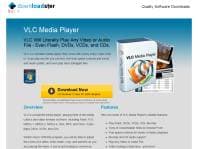
GBSimple to use site - free downloads on tap I came across Downloadster.org looking for a site to get hold of the VLC media player I'd read about. The first page I clicked to from Google was the download page for just that player. Super easy, no mucking about. The player is free to download as advertised, no nasty surprises. The process itself is easy - it only took a few minutes to complete if that - and I was up watching my videos moments later. The interface is simple and intuitive, but if you want something more bespoke, you can add a skin to it and customize it yourself. The site isn't all that big. It focuses on providing free downloads of some of the key applications almost everybody uses. So, you can get hold of a PDF reader, the OpenOffice suite and an impressive compression application called 7zip, each from its own single download page. Navigation is really straightforward too - just scroll to the menu at the bottom of the site and you can basically get anywhere from there.

Theodore Lim
AUBundled with adware Hash (authentification) codes for VLC don't match up with the real site; downloaded from this site out of curiosity and had the headache of removing all the other annoying programs that came with it.

Taninya NextLevel Smith
GBeasy to use and download media player Downloadster.org is a great site that is useful if you need a media player upgrade. One of the best things about this site is that it is very easy to download the program and get started almost immediately. The instructions are simple and the memory space needed to download the program is comparable with other, less universal media players. This player is better than most others as it plays virtually any type of file that you need and allows you to edit and adjust your videos in any way that you please. These options can be really useful for home videographers and those with small business ventures as well. One drawback of this download is the other toolbars that are simply lumped into the download of the program. Although you can deselect the option to download it, many times I forget to do that when downloading a program and end up using valuable memory space that I don’t need to use. All in all, just deselect the optionary toolbar, if you don’t need it, and all will be well. Definitely a useful and wonderful program.
Chris H
GBFull of additional PUP Virus software Install VLC software through Downloadster and you also end up with a load of other crap that hijacks your browser forcing you to use yahoo search on new tabs on all browsers. Installing a horrible toolbar on IE and disables IE Options from being able to remove it. I was very careful to untick all boxes that could lead to extra bits being installed but the install process didn't tell me about this crap. Really annoyed! I finally managed to get rid of it but it wasn't obvious. If you're wondering how, press the Windows key and "E" together and then select Uninstall or Change a Program. Near the bottom of the list you should find somehting called "Linkrub" or something like it. You have to tell it to remove this ...crap! several times before it actually goes. Probably a good idea to run an Adware removal tool afterwards too. Best advice is stay well clear of this site if you want to keep control of your own machine. I don't care about letting Downloadster know about my review either Hate hackers like these

Miles Petersson
SEVery Cool Super no worries