

James
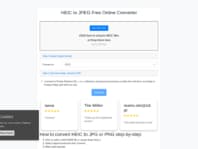
GBFirst time user! Fantastic results! First time user! Found the website and decided to give it a try. The layout was easy to follow, just click the picture you want it and "Convert". Then a simple click to download and that was it. Simple. Easy. Uncomplicated!

Peter Ward
GBFantastic tool - absolutely the best! Really excellent tool. I've looked everywhere for a way to convert multiple files - this is by far and away the best tool there is - I work with images all the time and really appreciate that these guys have made this freeware. Superb job - thank you! Can't emphasise enough how easy and simple to use.

Svatslav
SKConvertor from heic to jpg Excellent convertor from .heic to .jpg format. Very quick and it alows multiple files upload and convert, up to 100 pictures! Awsome. :) Thank you!
Fran
GBWorked great Worked great. Fast and easy when another on line program said it couldn't be converted.

ahmad jasra
GBEasy and convenient to use and it's… Easy and convenient to use and it's completely free. Converted over 400 images to JPG format in a go.